


Project management that gets out of your way so you can focus on building great products.
After years of using bloated, overcomplicated project management platforms that distracted from actual work, we built Kaneo to be different.
The problem with most tools isn't that they lack features—it's that they have too many. Every notification, every unnecessary button, every complex workflow pulls your team away from what matters: building great products.
We believe the best tools are invisible. They should amplify your team's natural workflow, not force you to adapt to theirs. Kaneo is built on the principle that less is more—every feature exists because it solves a real problem, not because it looks impressive in a demo.
What makes it different:
- Clean interface that focuses on your work, not the tool
- Self-hosted so your data stays yours
- Actually fast because we care about performance
- Open source and free forever
Learn more about Kaneo's features and capabilities in our documentation.
Kaneo is open source and free forever. If you find it useful, consider sponsoring the project to help support ongoing development.
The fastest way to try Kaneo is with Docker Compose. This sets up the API, web interface, and PostgreSQL database:
services:
  postgres:
    image: postgres:16-alpine
    env_file:
      - .env
    ports:
      - "5432:5432"
    volumes:
      - postgres_data:/var/lib/postgresql/data
    restart: unless-stopped
    healthcheck:
      test: ["CMD-SHELL", "pg_isready -U kaneo -d kaneo"]
      interval: 10s
      timeout: 5s
      retries: 5

  api:
    image: ghcr.io/usekaneo/api:latest
    ports:
      - "1337:1337"
    env_file:
      - .env
    depends_on:
      postgres:
        condition: service_healthy
    restart: unless-stopped

  web:
    image: ghcr.io/usekaneo/web:latest
    ports:
      - "5173:5173"
    env_file:
      - .env
    depends_on:
      - api
    restart: unless-stopped

volumes:
  postgres_data:
Save this as compose.yml, create a .env file with your configuration (see the documentation for all required environment variables), run docker compose up -d, and open http://localhost:5173.
Important: See our full documentation for detailed setup instructions, environment variable configuration, and troubleshooting guides.
For development, see our Environment Setup Guide for detailed instructions on configuring environment variables and troubleshooting common issues like CORS problems.
Kaneo requires several environment variables to be configured. The Docker Compose setup above handles the database automatically, but you'll need to configure environment variables for the API and web services.
For complete configuration instructions, including all required environment variables, database setup for non-Docker deployments, and advanced settings, see the documentation.
If you're running Kubernetes, we provide a comprehensive Helm chart. Check out the Helm chart documentation for detailed installation instructions, production configuration examples, TLS setup, and more.
Want to hack on Kaneo? See our Environment Setup Guide for detailed instructions on configuring environment variables and troubleshooting common issues like CORS problems.
Quick start:
# Clone and install dependencies
git clone https://github.com/usekaneo/kaneo.git
cd kaneo
pnpm install

# Create a .env file in the root with required environment variables
# See ENVIRONMENT_SETUP.md for detailed instructions

# Start development servers
pnpm dev
For contributing guidelines, code structure, and development best practices, check out our contributing guide and documentation.
- Discord - Chat with users and contributors
- GitHub Issues - Bug reports and feature requests
- Documentation - Detailed guides, API docs, and tutorials
We're always looking for help, whether that's:
- Reporting bugs or suggesting features
- Improving documentation
- Contributing code
- Helping other users on Discord
Check out CONTRIBUTING.md for the details on how to get involved.
MIT License - see LICENSE for details.
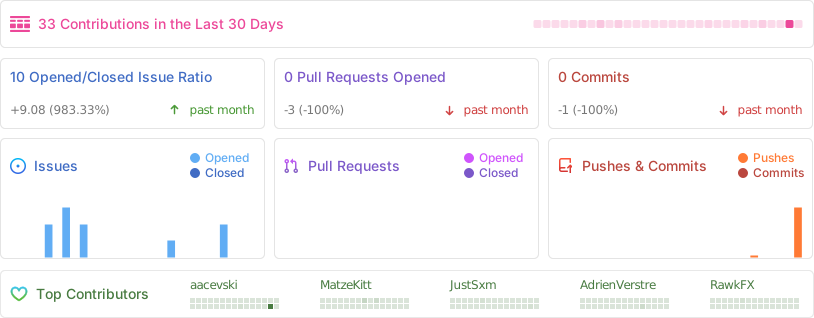
Built with ❤️ by the Kaneo team and contributors